Privacy

Privacy Policy

This privacy policy outlines the personal information handling practices for BMG Innovations website, https://bmgi.com.au 

Collection of Personal Information, Use and Sharing

We are the sole owners of the information collected on this website. There are many aspects of our website which can be viewed without providing personal information.

BMGi will not collect or monitor any personal information about an individual without their consent. The only personal information collected is what has been provided voluntarily. 

We will not share your information with any third party outside of our organization, other than as necessary to fulfil your request, e.g. to ship an order.

Orders

We request information from you when registering and completing your order. To buy from us, you must provide contact information (like name and shipping address). This information is used for billing purposes and to fill your orders. If we have trouble processing an order, we’ll use this information to contact you.

Security

We take precautions to protect your information. When you submit sensitive information via the website, your information is protected both online and offline.

If you feel that we are not abiding by this privacy policy, you should contact us immediately via telephone at +61 7 3205 3002 or our contact page

Read more: Privacy

  • Hits: 46380

Tritek manual

Tritek Control Board
User Guide

Click below for the information

  • DACE ultima information screen

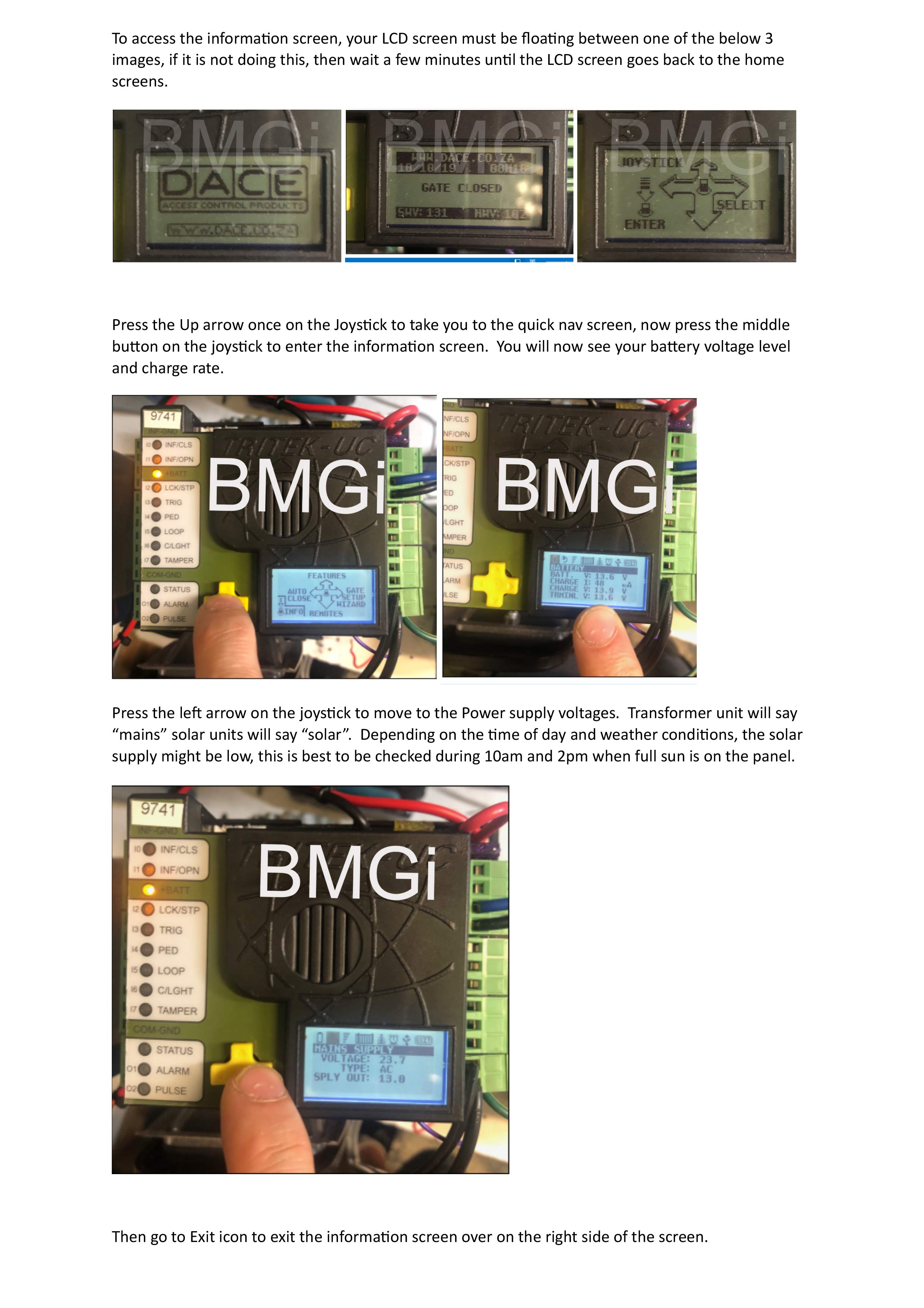
    Information screen

  • DACE ultima tuning remote full trigger

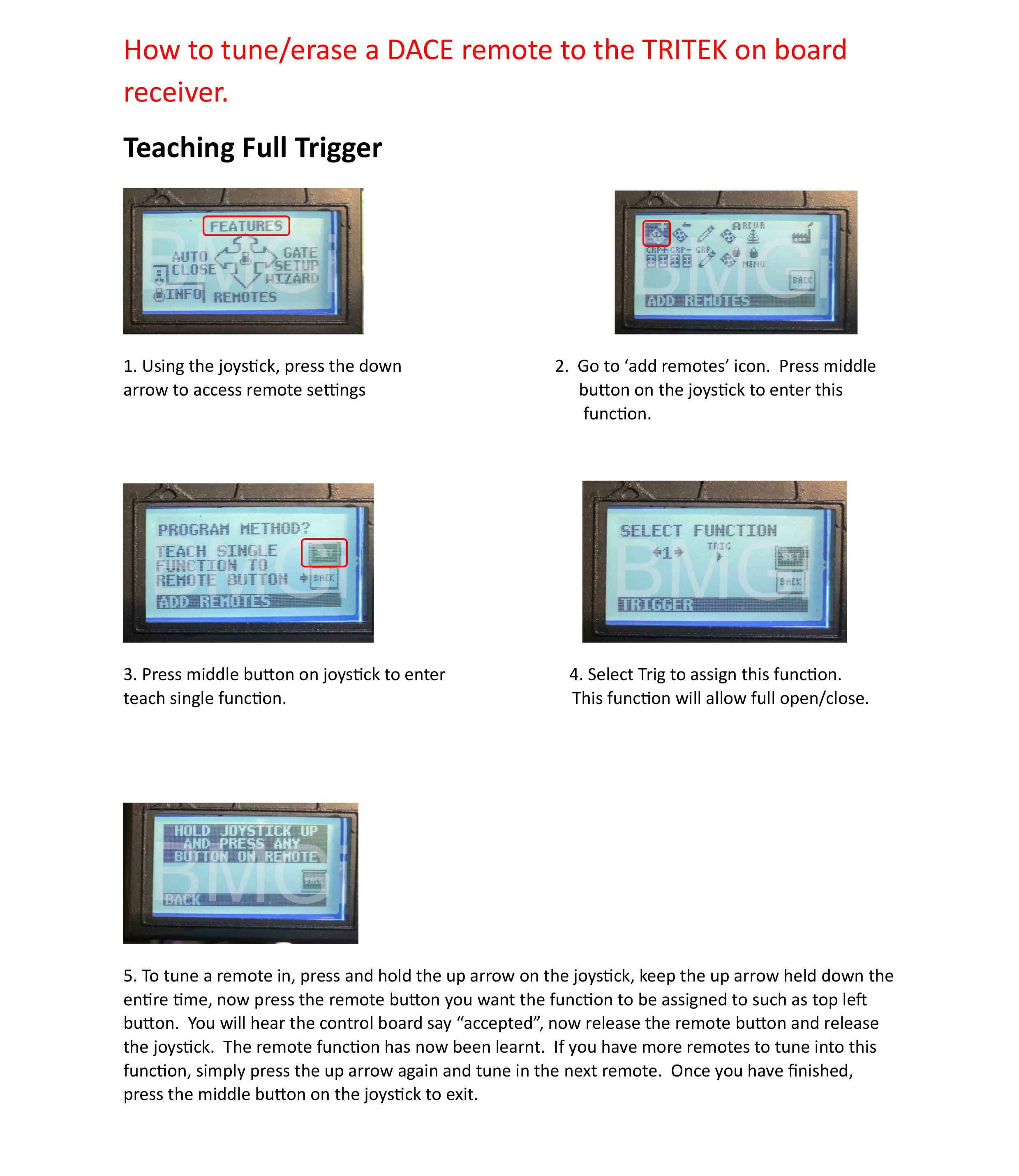
    Tuning remote - full trigger

  • DACE ultima tuning remote pedestrian

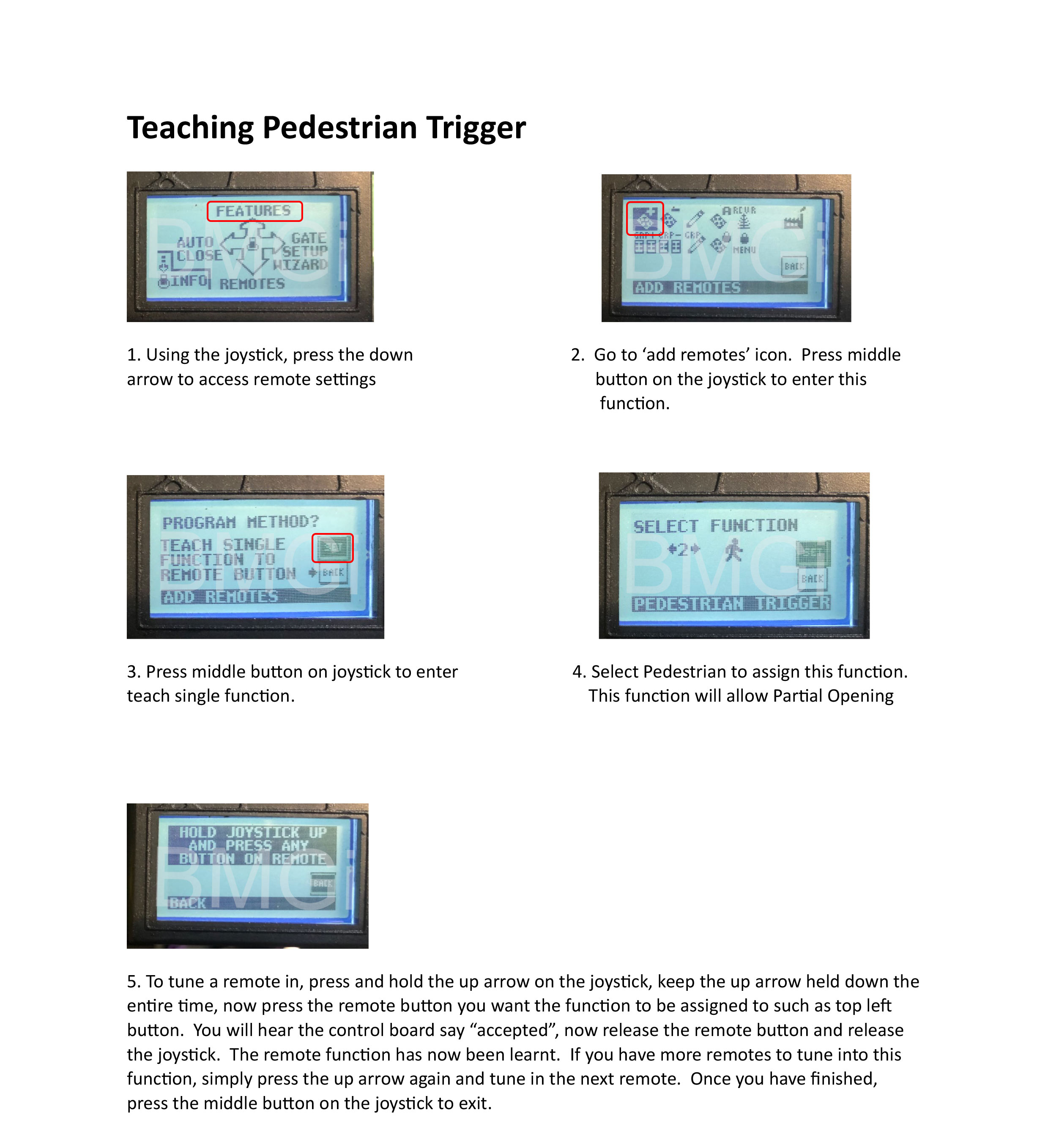
    Tuning remote - Pedestrian

  • DACE ultima erasing all remotes

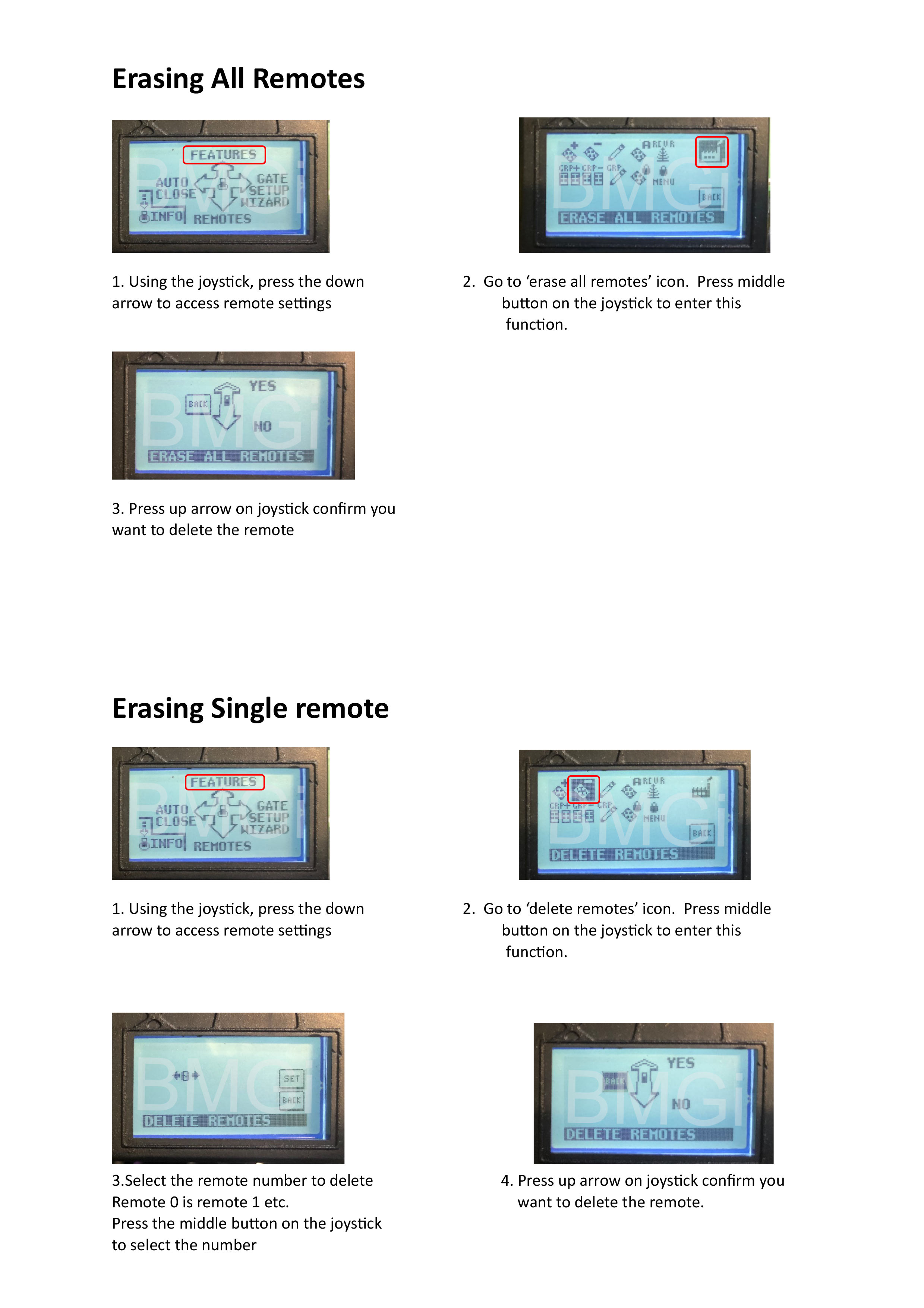
    Erasing all remotes or single remote

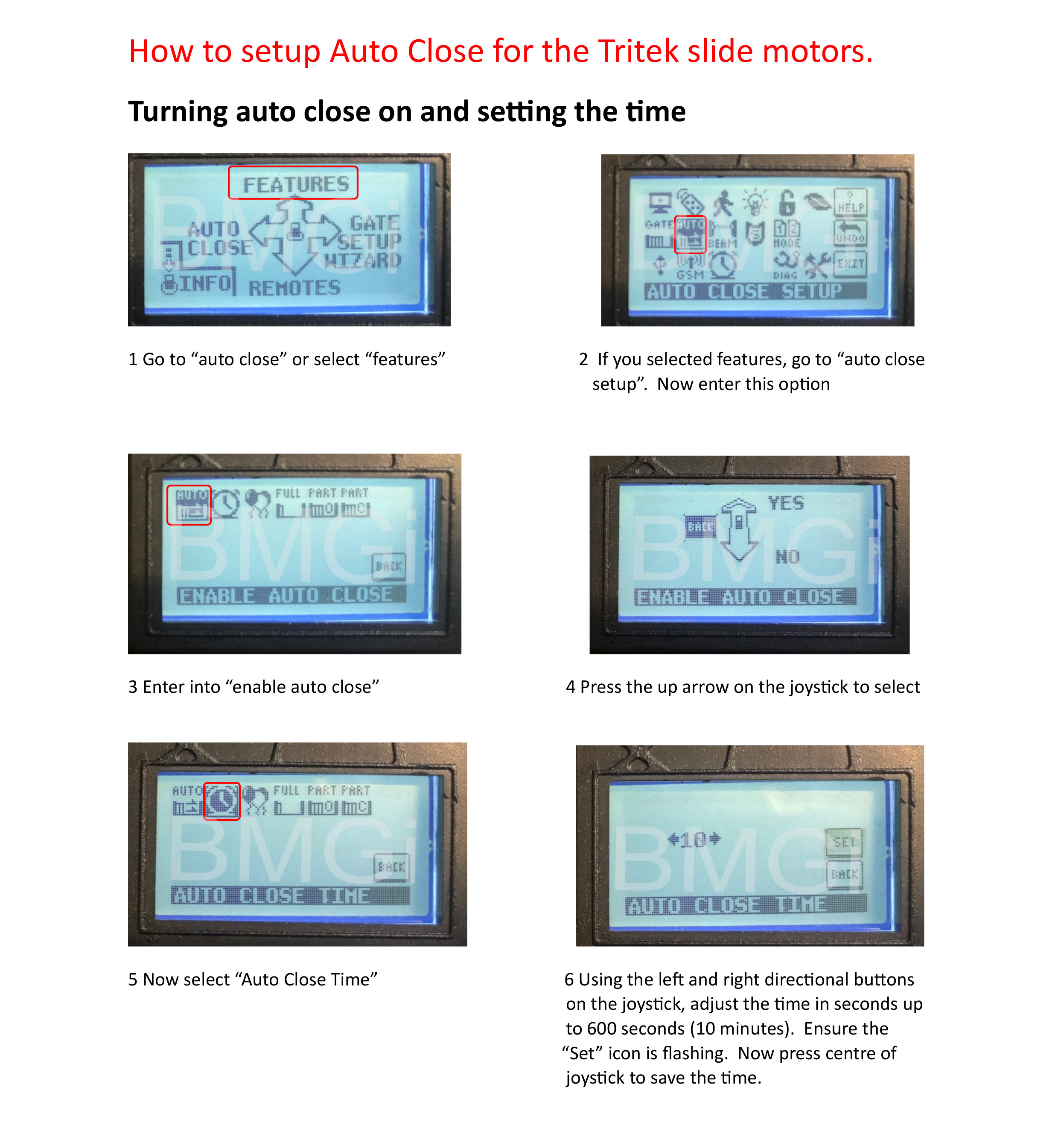
  • DACE ultima setting auto close

    Auto close

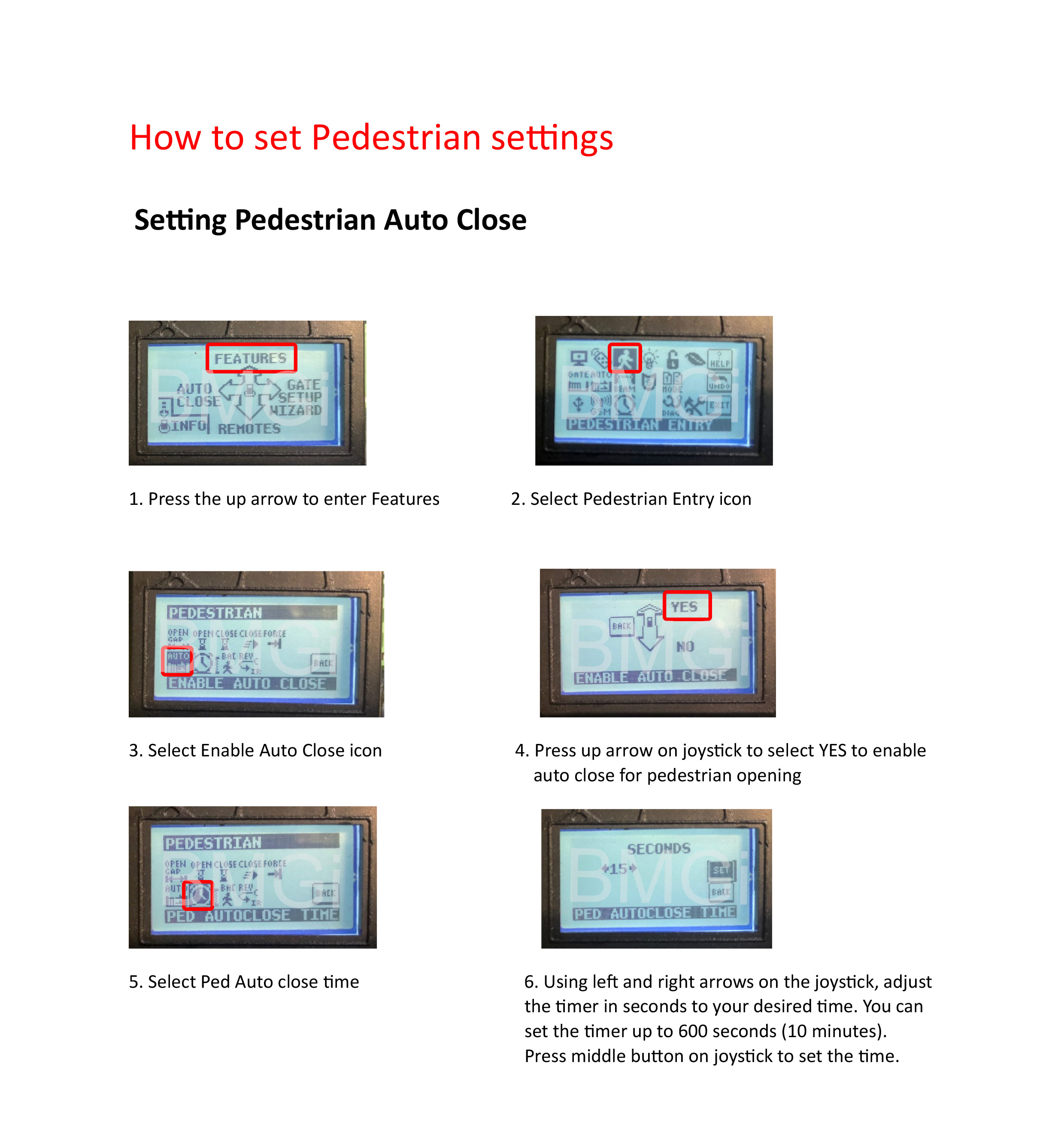
  • DACE ultima setting pedestrian auto close

    Pedestrian auto close

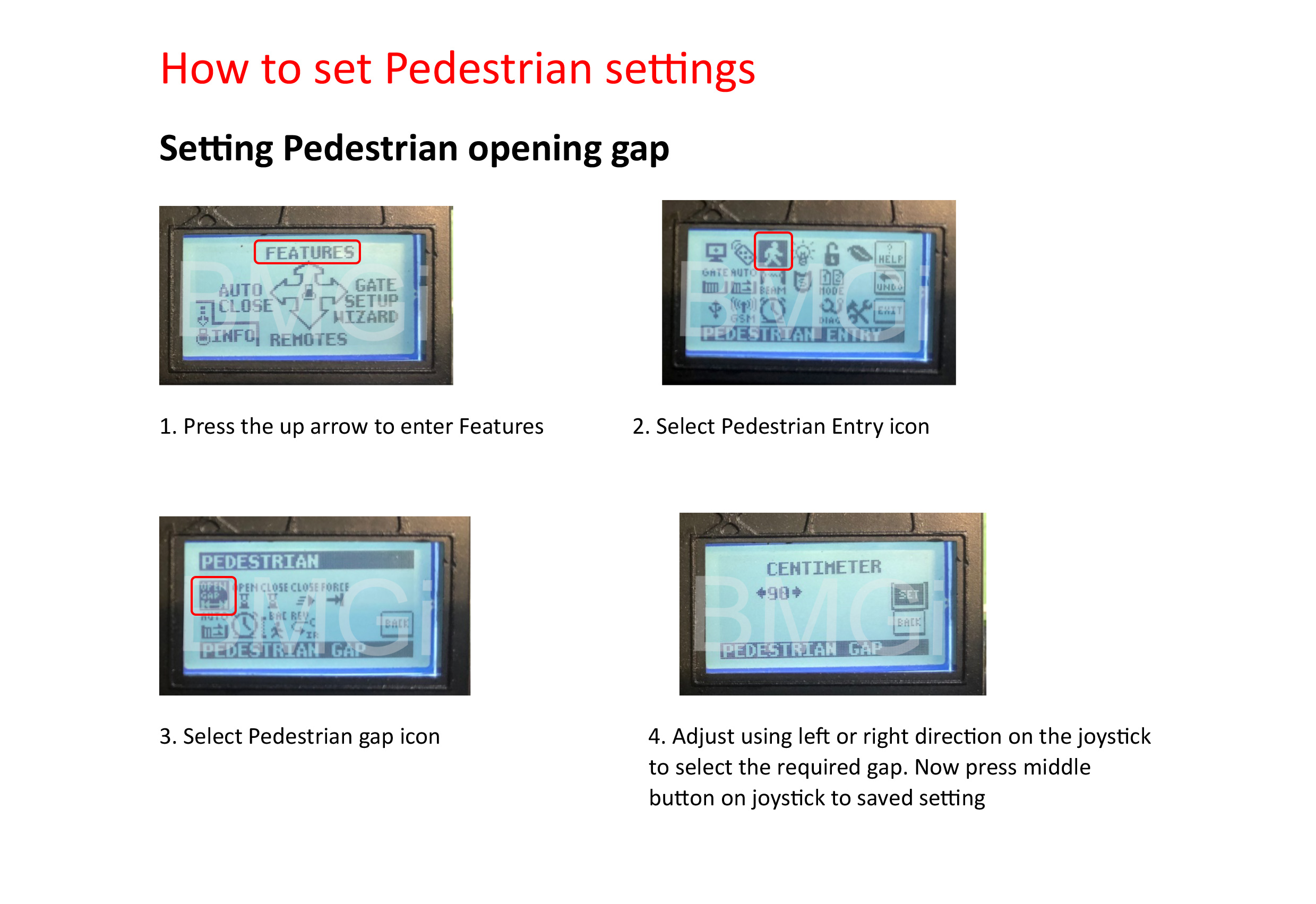
  • How to set pedestrian opening gap

    Setting Pedestrian opening gap

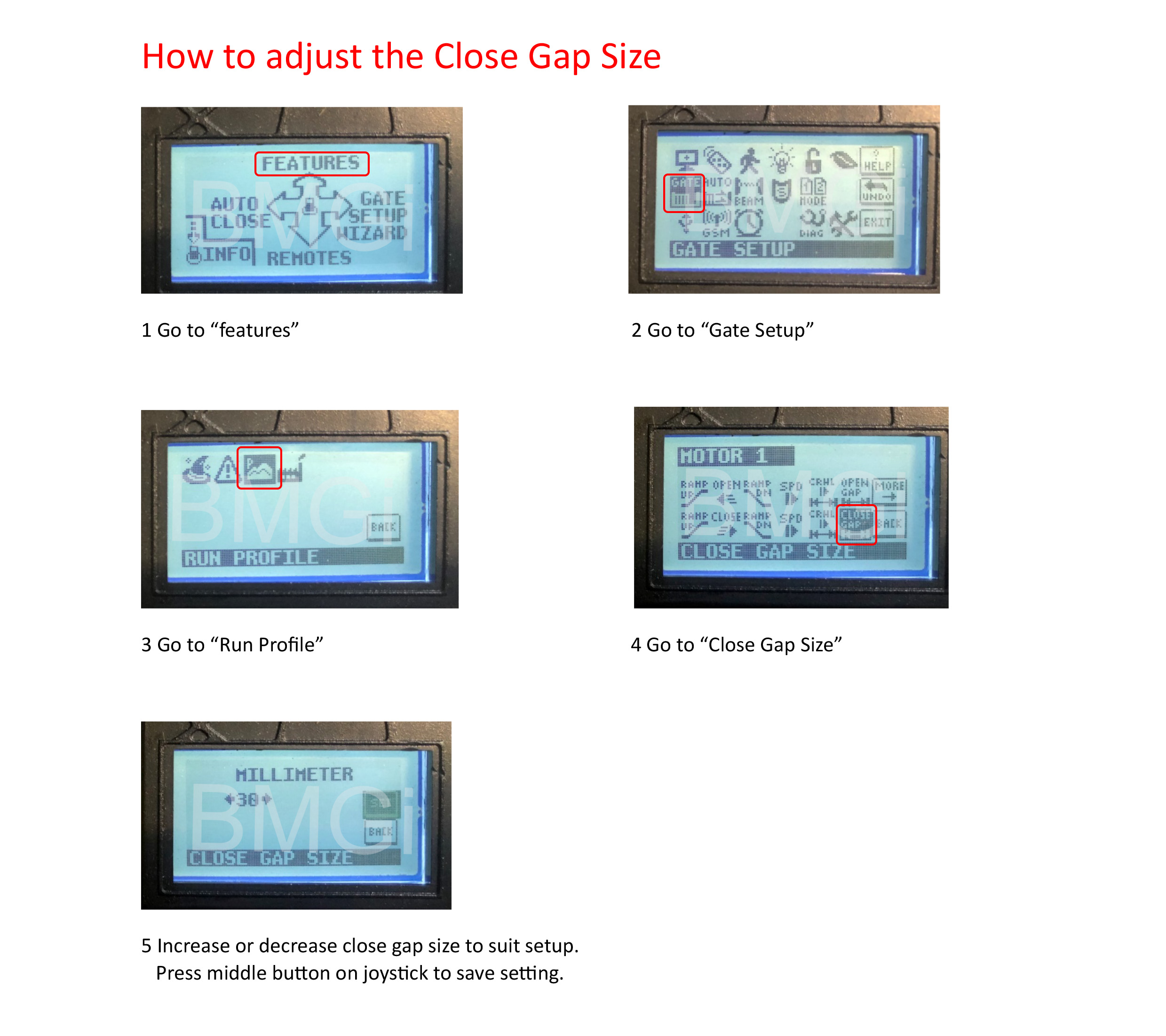
  • DACE ultima adjust gate size

    Adjust close gap size

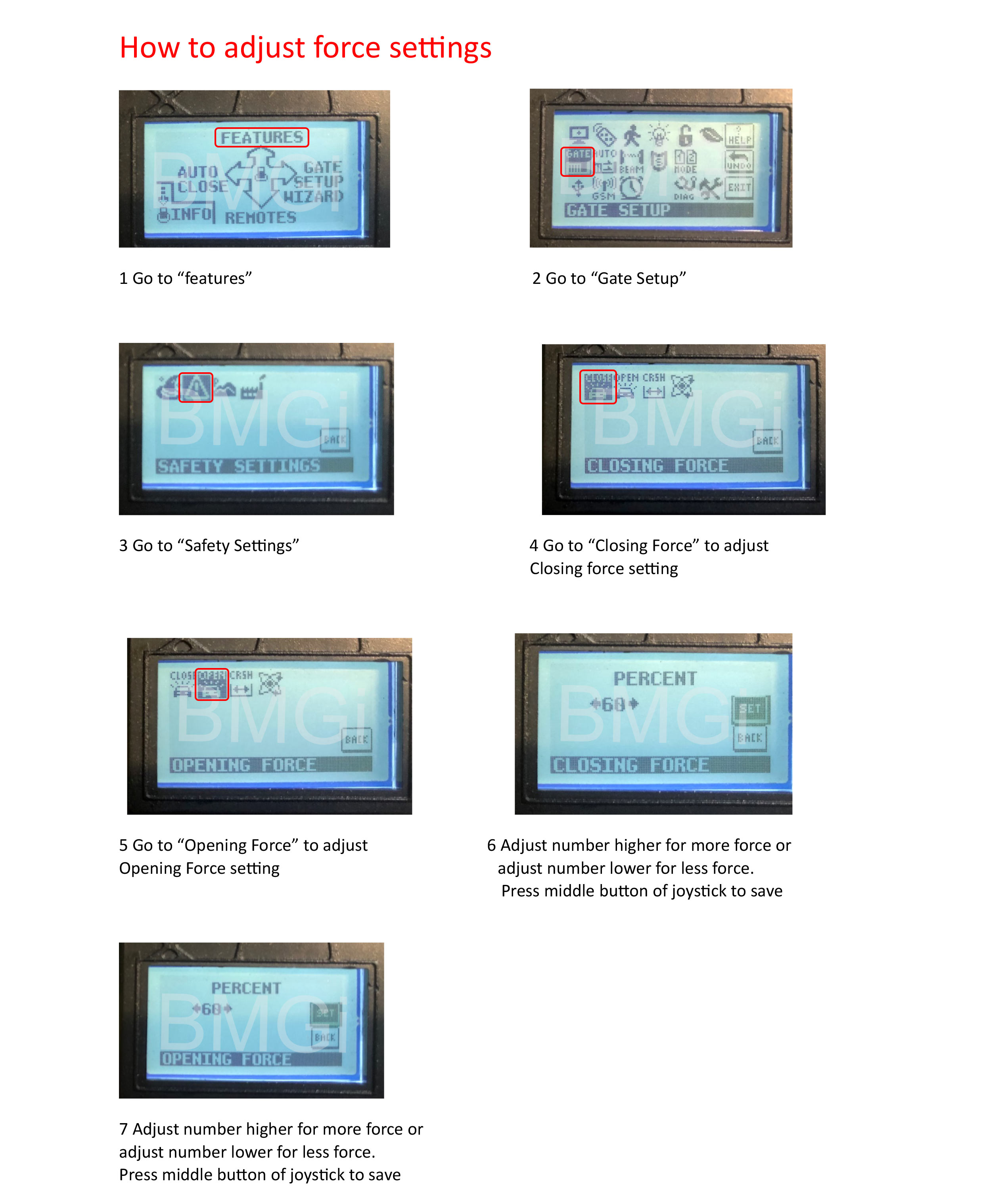
  • DACE ultima adjusting force settings

    Adjust force settings

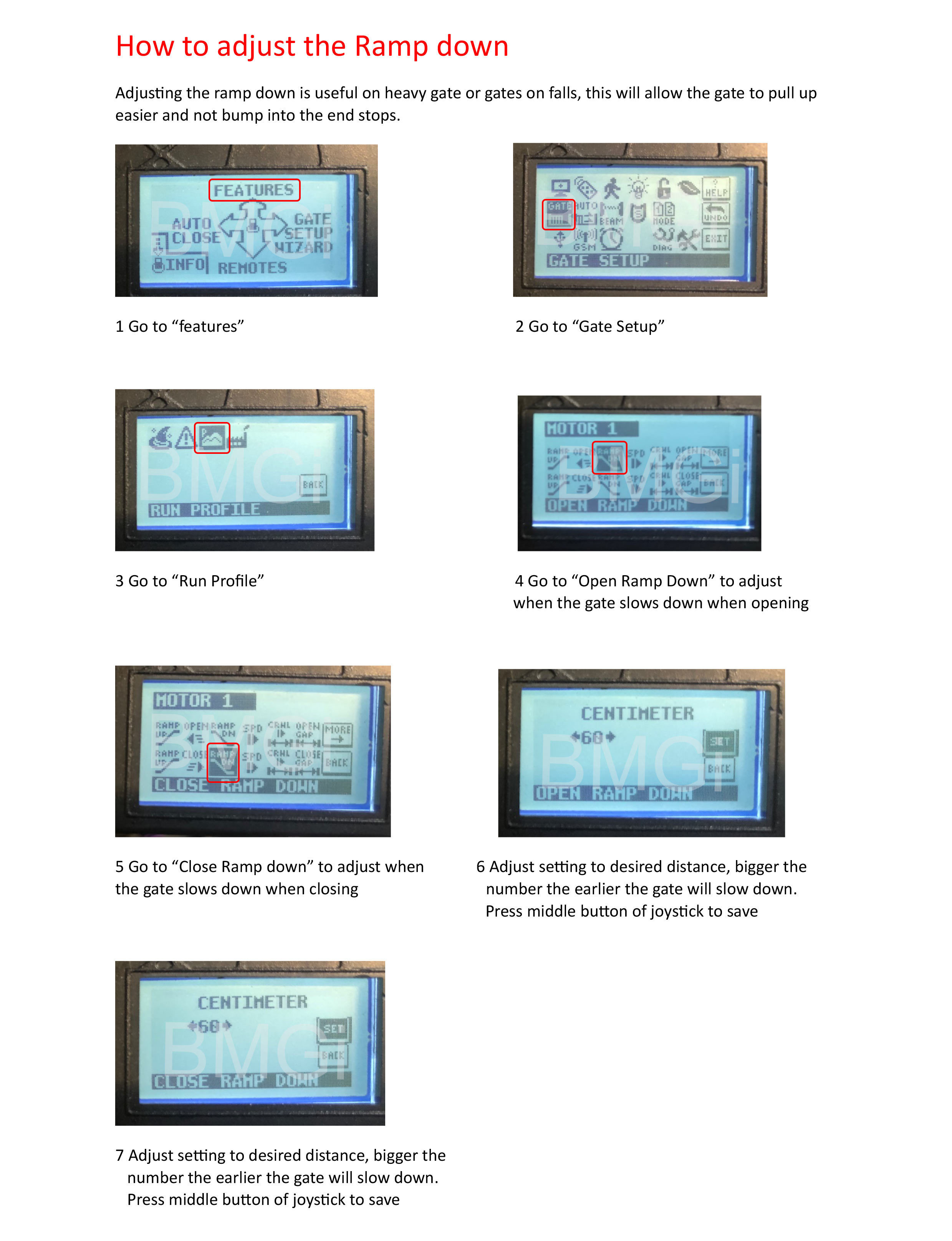
  • DACE ultima adjusting the ramp down

    Adjust ramp down

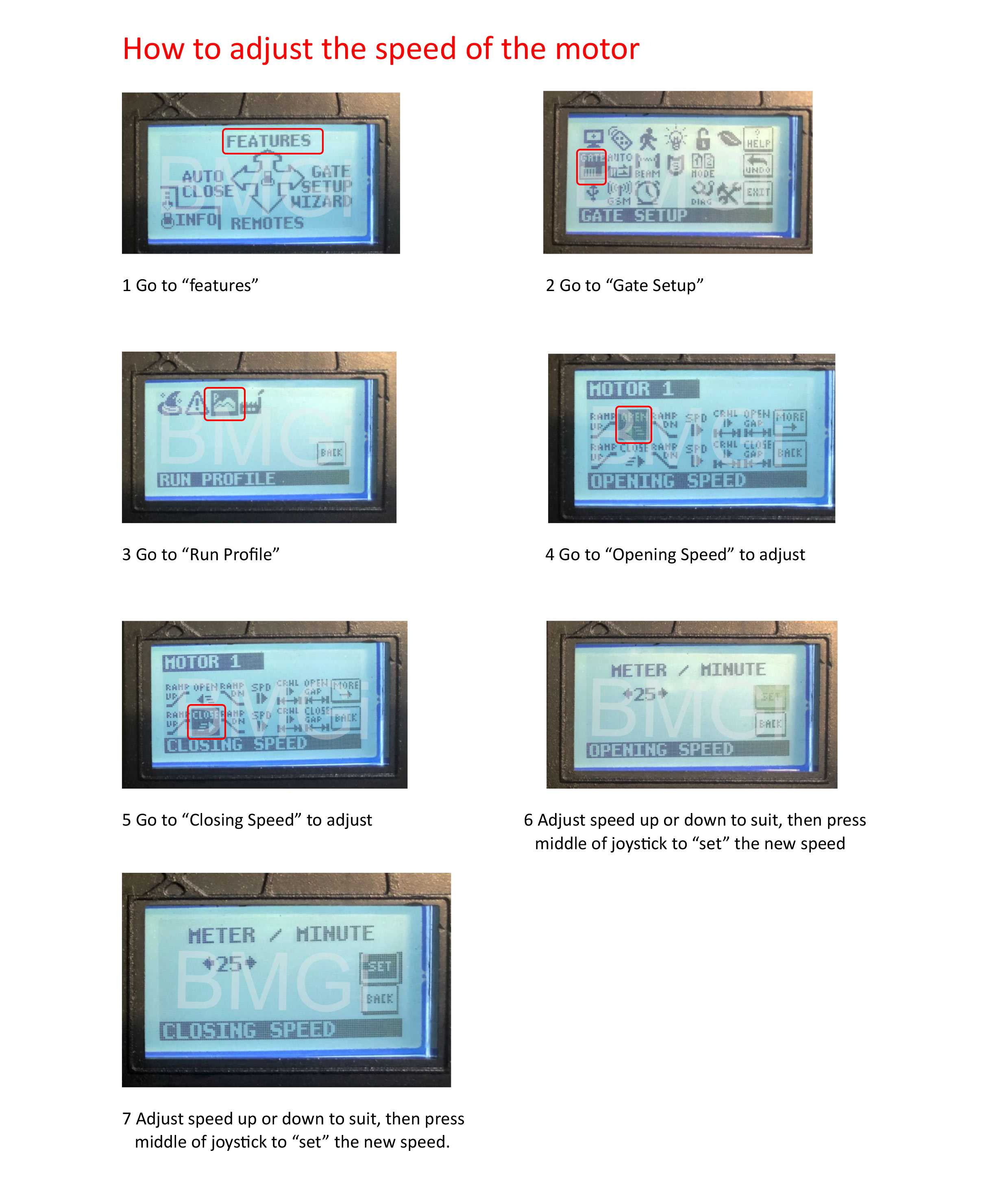
  • DACE ultima adjusting motor speed

    Adjust motor speed

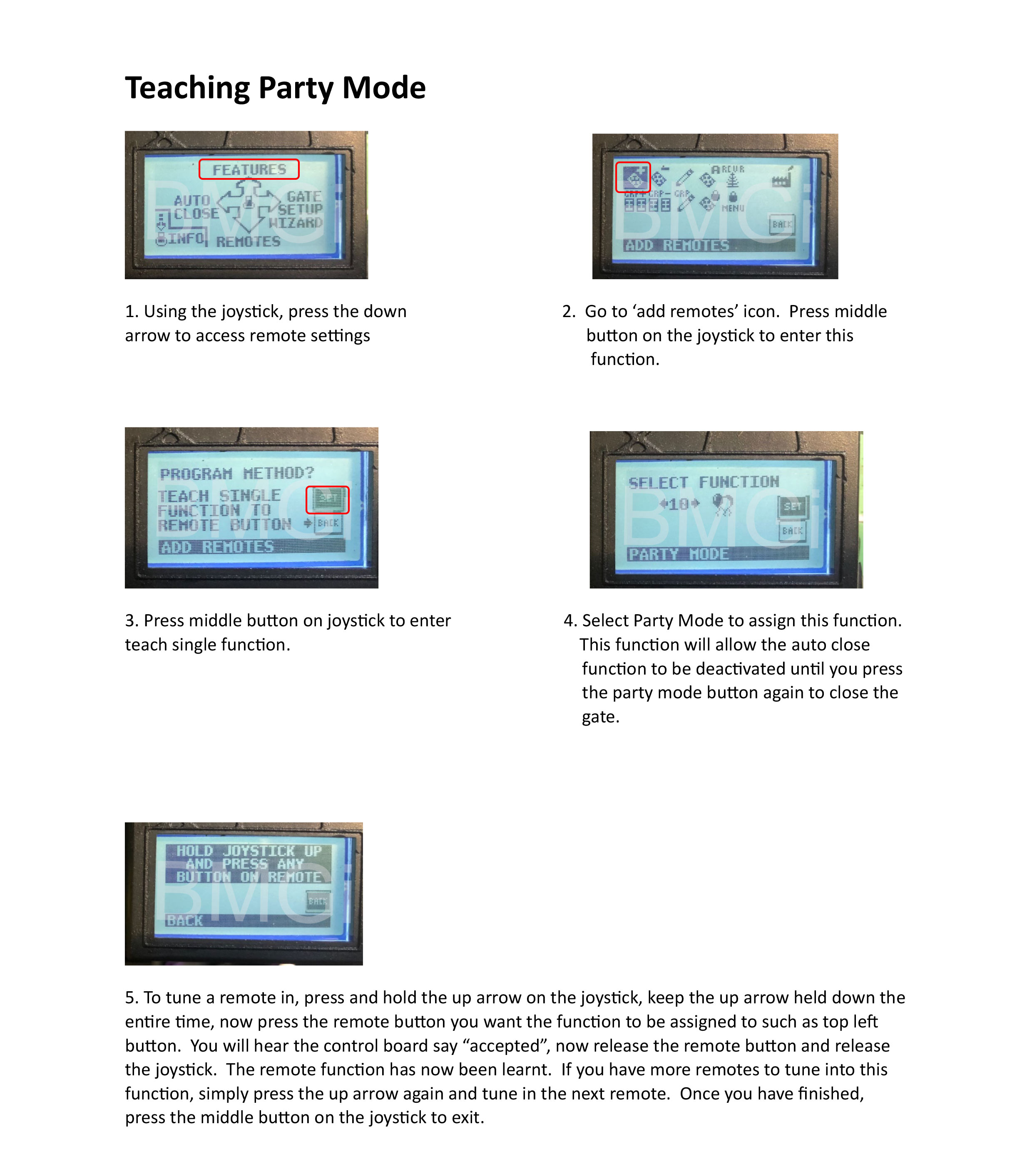
  • DACE ultima adding party mode

    Teaching party mode

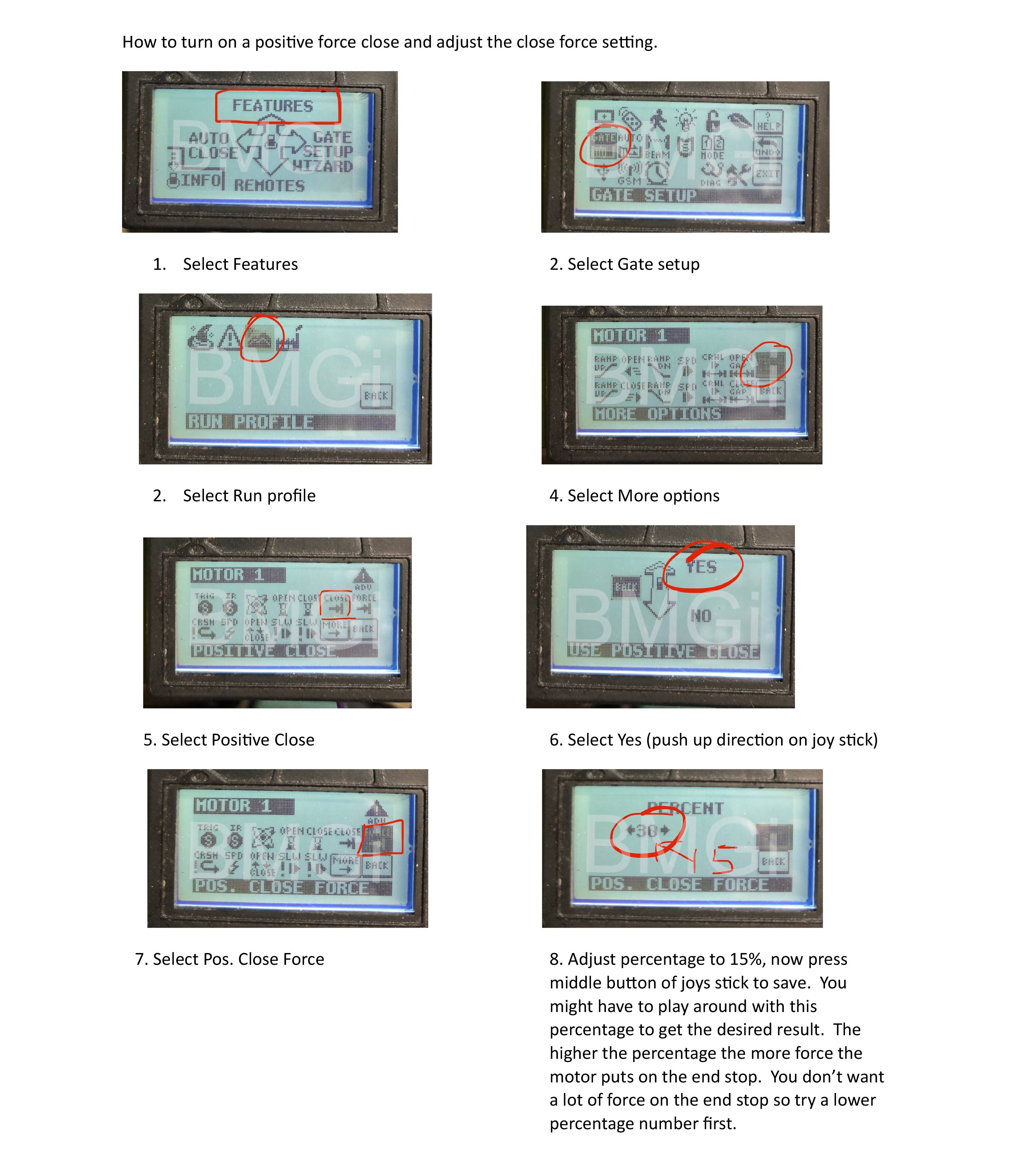
  • DACE ultima adjusting the positive force close

    Positive force close

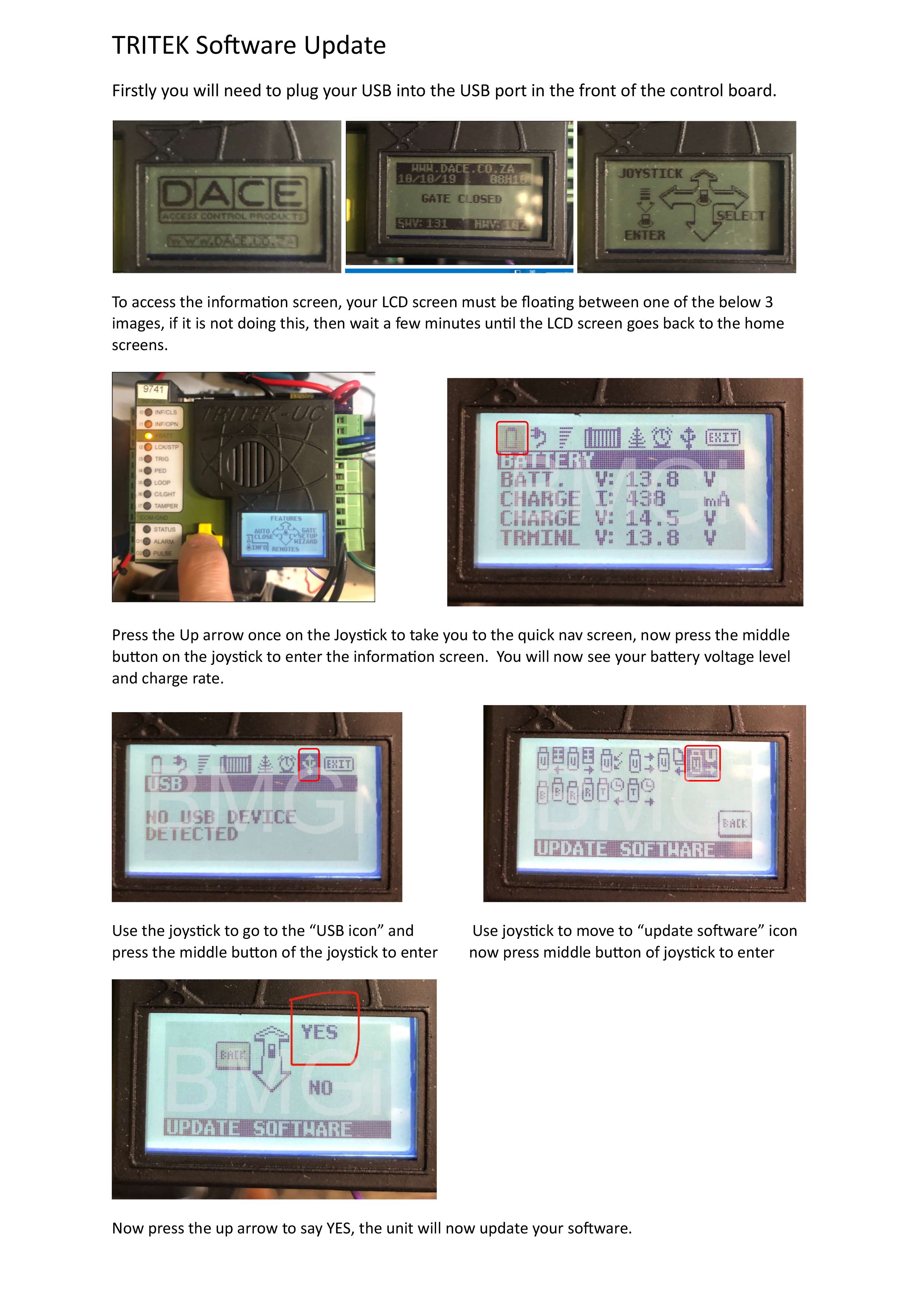
  • DACE ultima software update

    Software update Procedure

Ultima

Read more: Tritek manual

  • Hits: 21464

EGA ver 1 control board videos

EGA-04 Version 1 Control Board Videos

The videos below will help explain a few of the menu settings on your
EGA-04 Version 1 control board.  Please refer to your user menu for more detailed settings.

How to use the main settings screen

This video will explain how to use the main menu settings with the 4 control board buttons.

IMPORTANT - Teaching the Travel Function

This video will explain how to teach the travel function for the EGA control board to learn its open and closed limits.

Tuning remotes to the control board

This video will show you how to tune your remotes
to the onboard receiver.

Tuning a wireless keypad to the control board

This video will show you how to tune your wireless keypad to the main control board.

Obstruction sensitivty - P1, P2, P3, P4

This video will show you how to set the obstruction sensitivity of your gate in the closing and opening cycle.

Slow down obstruction sensitivty - P5, P6

This video will show you how to adjust the slow down obstruction sensitivity for your gate.

Auto close function P9 setting

This video will show you how to set the auto close function.

Double gate delay P8 setting

This video will explain how and when to set the double gate delay.

Setting Double or Single Gate P0 setting

This video will explain how to set your board for a double gate setup or single gate setup using your menu setting PO.

Read more: EGA ver 1 control board videos

  • Hits: 32365